Programmers learns various languages and write programs, but as we all are humans there are times when we forget a function, or just need to reference a function or API properties or just view how to properly use that property. Because of that we go the Documentation page of the Programming Language, in that process we lose precious time by Opening a Browser, then doing a Google Search and viewing the Documentation page.
But what happens when you are offline and you cannot access the internet, then How do you view Documentation page for that Purpose there is Dash the offline Documentation browser.
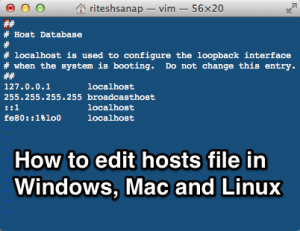 Today we are going to edit hosts file on our Operating System (Windows, Mac and Linux). In each and every Operating system a host file exists, which is used for mapping an IP address to a Hostname, which is somewhat similar to a DNS server, so I like to call my Hosts file a local DNS server, because it overrides the DNS servers and points to the IP address we provided for the hostname.
 Today, I will be sharing with you all LastPass the free password manager, which will help us manage our passwords for different websites. Because nowadays we visit and register on various websites on a daily basis and we cannot remember all the passwords we use for different websites, so we just re-use the one which we always use, which I like to call the “Default” Password.