Normally you receive a low memory warning message when you run many programs at the same time than the RAM installed on your computer is designed to support. Your can solve this problem by increasing the system paging file size also called as virtual memory. Using this virtual memory, windows will move information to and from the paging file for fast processing. This will free up enough RAM for other programs to run properly. To increase the system page file follow these tips…
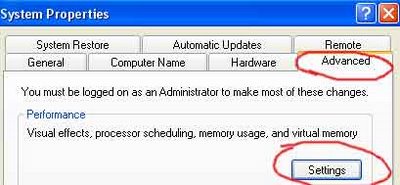
Go to : Control Panel > System > Advanced > Click on Settings (Under Performance) > Advanced > Change
Here under Drive (Volume label), you have the option to select any of your hard disk drives, but the best choice is to select any drive other than C drive for virtual memory.
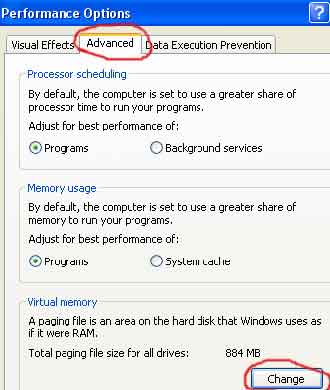
Set the double Initial Maximum Size of your Virtual Memory. Here set initial size 700 MB and maximum size up to 1000MB; you can change this size according to the free space available on your hard drive.
 In every installation of Windows XP there is a built-in and default administrator user account named Administrator, which is equivalent to super user or root in Unix system. However, if you have set up another user account in Windows XP, the Administrator account will be hidden, cloaked and invisible in User Accounts or Computer Management.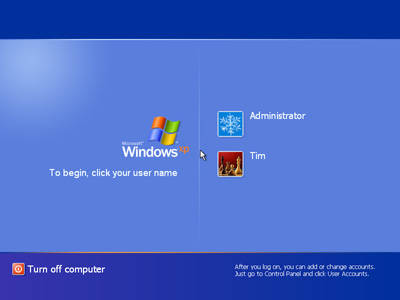


 Isn’t it really hard To find the Person or a Community using the orkut Search engine…
 Many times we see how Poor photographic condition make a Good Photo turn bad or even worse.So…
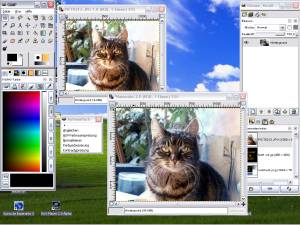 GIMP is a freely distributed program for such tasks as photo retouching, image composition and image authoring. It works on many operating systems, in many languages, and their official site contains a lot of tutorials and a list of books.
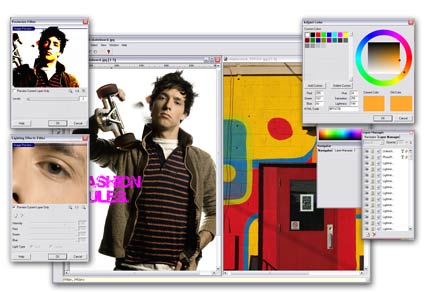 Offered by FreeSerifSoftware, PhotoPlus 6 is an easy to use photo editor, with a nice interface. It has a number of built in functions which will make it very convenient for people who don’t know anything about photography editing:
 How many times did you delete some files on your hard disk by mistake? And if you are like me, how many times did you use the Shift+Del keys combination to avoid the Recycle Bin? I’m using that all the time, and there were a few times when I was sorry to discover that in my rush of cleaning my hard disk, I deleted things that I actually needed.