As i was on internet my Antivirus find some about 2000 Virus and in that my Explorer.exe was also infected . I dont have saw it so i saved it to Vault . and then after restarting i saw that my Explorer.exe was not there and i have just deleted the vault and the question arises in front of me that how to bring back it. I found Two Ways To Bring it Back :
1. By Using System Restore.
2. Just Downloading an Clean Copy Of Explorer.exe – Easy Way Done Ever you Have Never Done With !
Method 1 – Using System Restore.
- Click ” Alt + Ctrl + Delete “
- Task Manager Will Open and Then Click “
 “
“ - Then in the text box copy and paste this code ” %SystemRoot%\system32\restore\rstrui.exe “
- Click on ““
- Check the ” Restore my Computer to an earlier time “
- Then Click On ““
- Then Select an earlier time
- Then Click on ““
- Then Again Click on ““
- Your Computer will take some time to restore and will restart and tada !
- Task bar is visible and the whole desktop .
- Remember After This long Process To make a restore Point by Using System Restore.
- Back up your Explorer.exe from ” C:\WINDOWS ” Save it to any other Drive.
 “
“
 “
“
 “
“
Method 2 – Easy and Best For those who have Internet
- Click ” Alt + Ctrl + Delete “
- Task Manager Will Open and Then Click “ “
- Then Click on ““
- Then Click on “”
- Then Select your Browser and Press Open.
- Then Just Download The File Created By Me ( Ritesh sanap)
- Then Just Open as you Open Other Files Using Task Manager
- Just then open Setup.bat . it will do its work. don’t think that Setup.bat is made for Hacking . After one and half of hard work result me in Setup.bat . It was made to reduce the half critical work for doing with Windows File.
 “
“
 ”
” 
At Last Enjoy !

 For those Firefox advocates including me myself, I relish the thought of knowing another simple trick about the ever powerful Firefox itself that will enhance my web experience. A little unknown feature available in your latest version of Firefox 3 is that is allows you to set more than on homepage. What i mean is that you can now open several instances of Firefox homepage when you first execute and run the popular web browser.
 Friends Many of people thought to make a CD Protected(Non-writable nor copied)
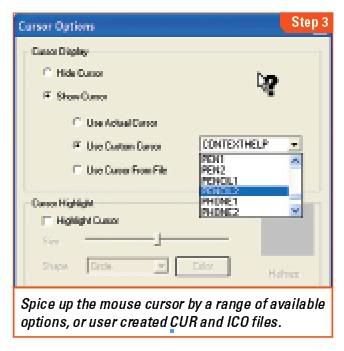
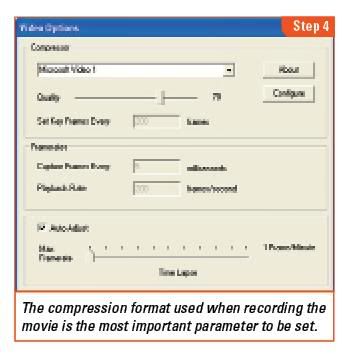
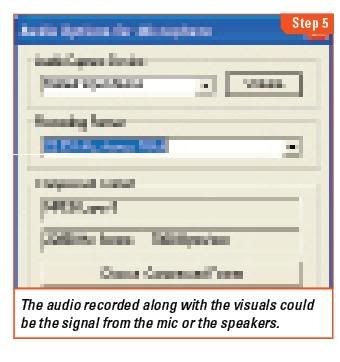
 Do you feel handicapped with the limitations of screen shots? Switch to screencasts and create a movie of your computer screen.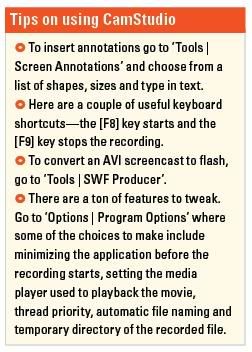
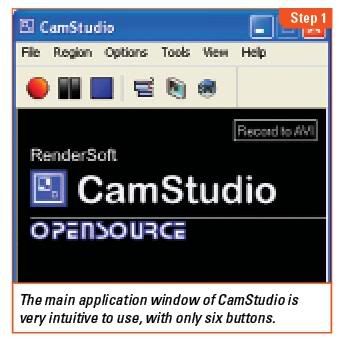
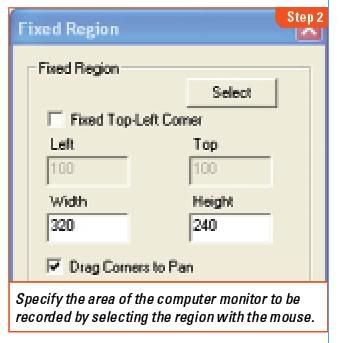
 Here’s another useful tip for those bloggers, who are continuously trying to transform their free BlogSpot blogs into a pro-blog.
 , and also the symbol “>” with
  , but as to do all this manually is quite difficult, so you can use this website tool for simply converting the html code into embeddable text: