Shortcut keys help provide an easier and usually quicker method of navigating and using computer software programs. Shortcut keys are commonly accessed by using the Alt (on IBM compatible computers), command key (on Apple computers), Ctrl, and/or Shift in conjunction with a single letter. The de facto standard for listing a shortcut is listing the modifier key, a plus symbol, and the single character. Or in other words, “ALT+S” is telling you to press the Alt key and while continuing to hold the Alt key, press the S key to perform the shortcut.
The below basic shortcut keys are a listing of shortcut keys that will work with almost all IBM compatible computers and software programs. It is highly recommended that all users keep a good reference of the below short cut keys and/or try to memorize the below keys. Doing so will dramatically increase your productivity.
| Shortcut Keys | Description |
| Alt + F | File menu options in current program. |
| Alt + E | Edit options in current program |
| F1 | Universal Help in almost every Windows program. |
| Ctrl + A | Select all text. |
| Ctrl + X | Cut selected item. |
| Shift + Del | Cut selected item. |
| Ctrl + C | Copy selected item. |
| Ctrl + Ins | Copy selected item |
| Ctrl + V | Paste |
| Shift + Ins | Paste |
| Home | Goes to beginning of current line. |
| Ctrl + Home | Goes to beginning of document. |
| End | Goes to end of current line. |
| Ctrl + End | Goes to end of document. |
| Shift + Home | Highlights from current position to beginning of line. |
| Shift + End | Highlights from current position to end of line. |
| Ctrl + Left arrow | Moves one word to the left at a time. |
| Ctrl + Right arrow | Moves one word to the right at a time. |

 “
“
 “
“
 “
“
 “
“ ”
” 
 For those Firefox advocates including me myself, I relish the thought of knowing another simple trick about the ever powerful Firefox itself that will enhance my web experience. A little unknown feature available in your latest version of Firefox 3 is that is allows you to set more than on homepage. What i mean is that you can now open several instances of Firefox homepage when you first execute and run the popular web browser.
 Friends Many of people thought to make a CD Protected(Non-writable nor copied)
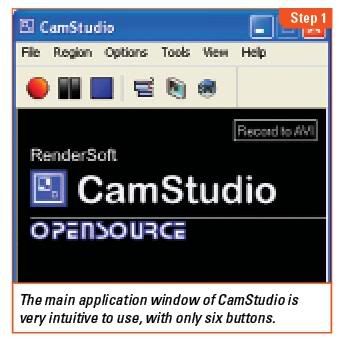
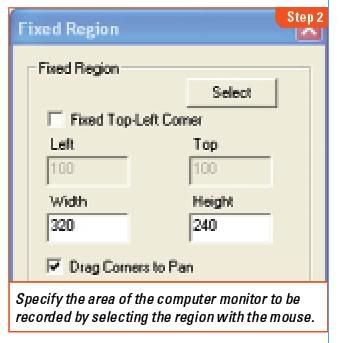
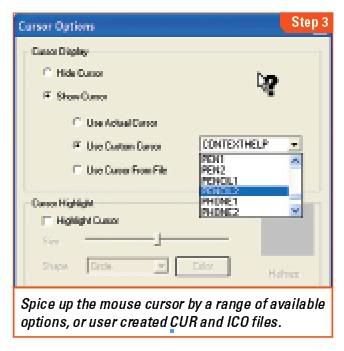
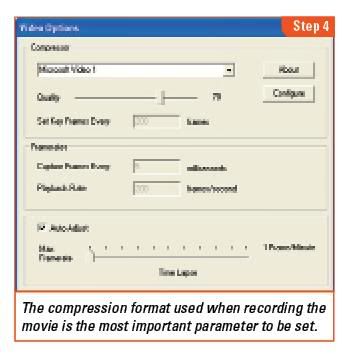
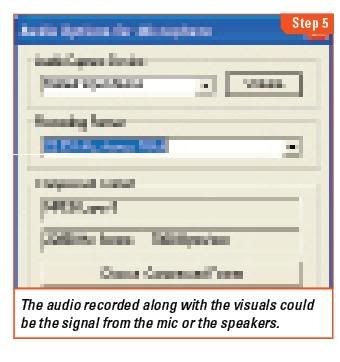
 Do you feel handicapped with the limitations of screen shots? Switch to screencasts and create a movie of your computer screen.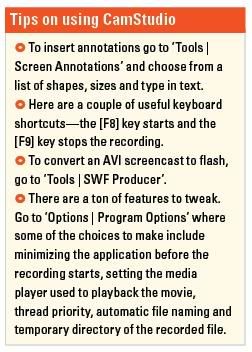
 Here’s another useful tip for those bloggers, who are continuously trying to transform their free BlogSpot blogs into a pro-blog.